Customer Portal
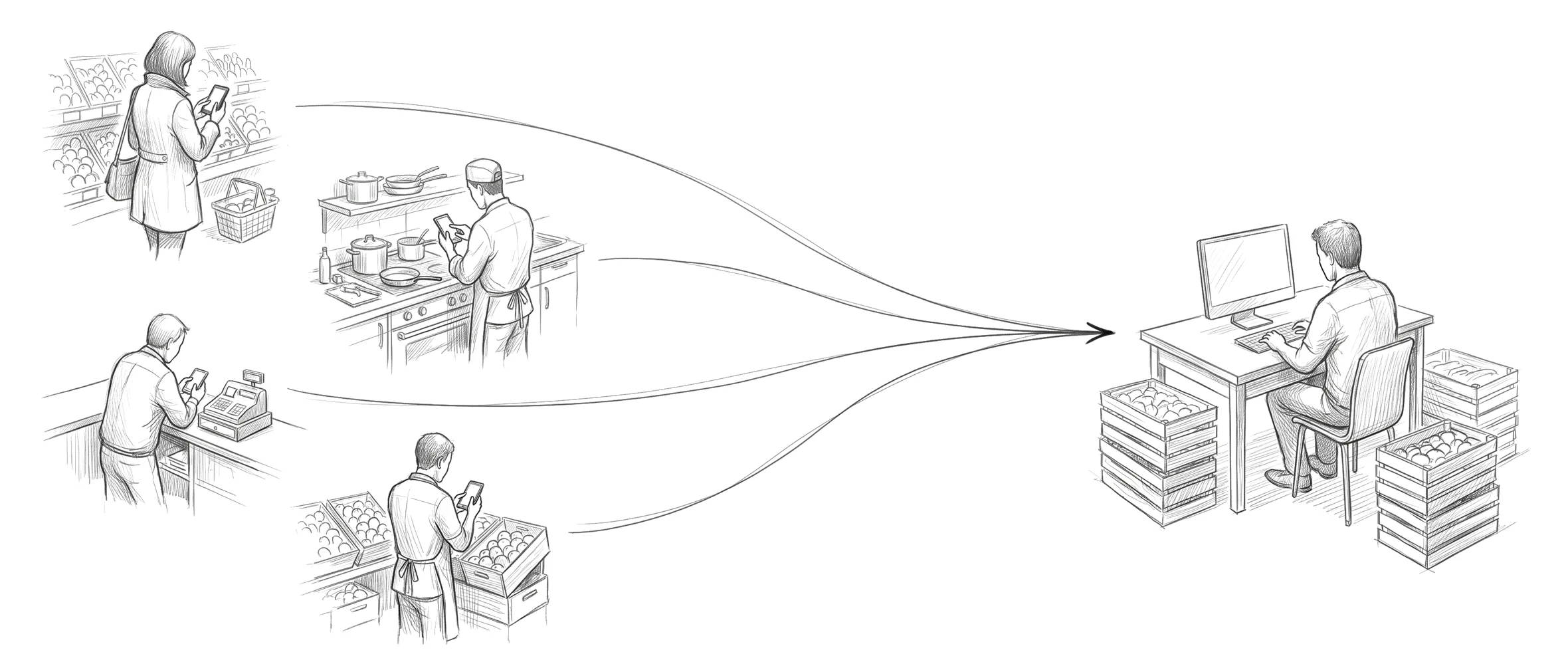
Every store you sell to gets its own branded ordering page. Your catalog, the day's prices, their usuals. The order lands in your queue, priced and ready for review.
01 · Browse
Their storefront. Your day's prices.
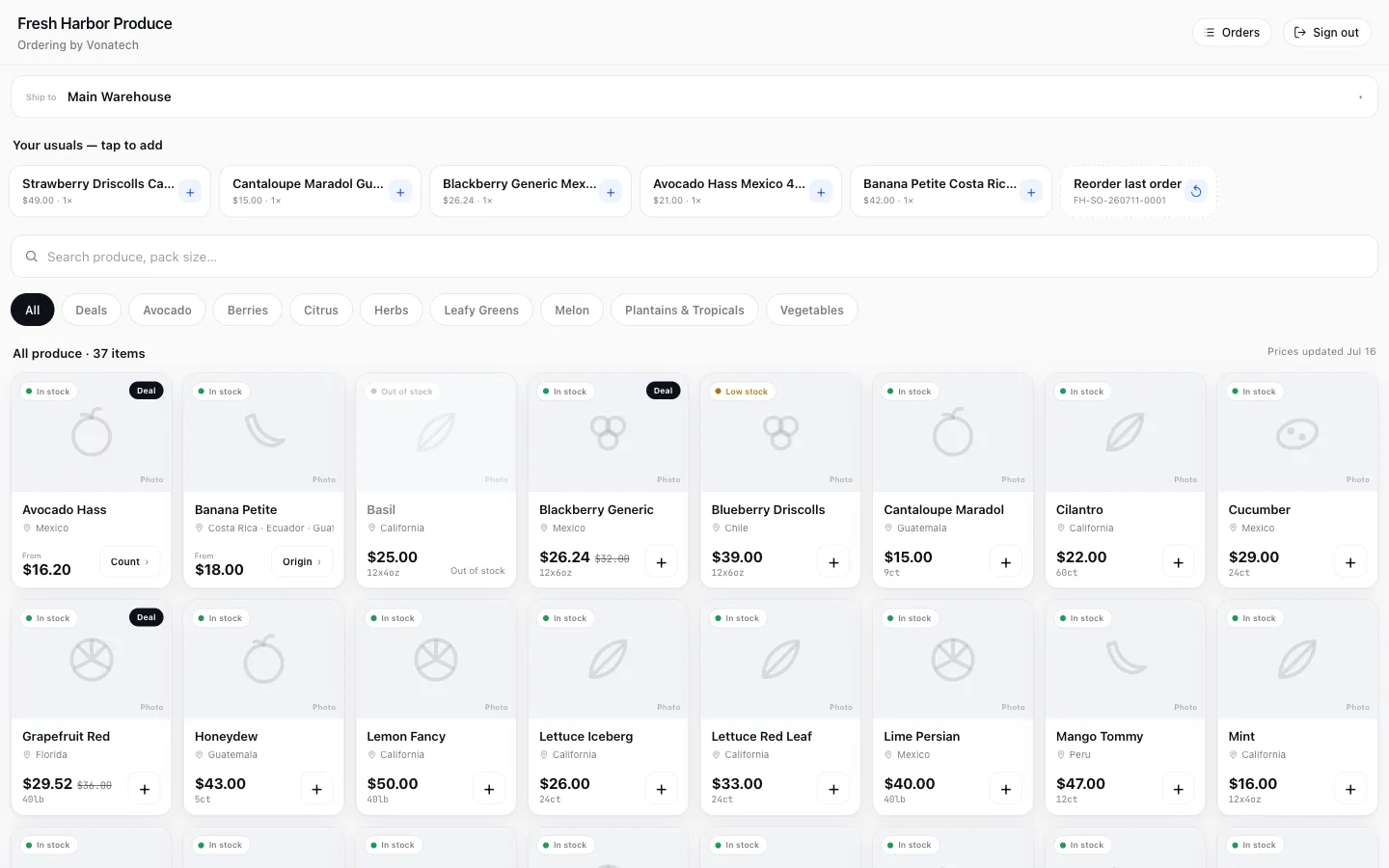
The buyer lands on your branded storefront: today's catalog by category, a search box, and their usual items one tap away, with last week's order refillable in one tap more. A special price shows a Deal badge with the original struck through, and every card carries an honest availability cue: In stock, Low stock, Out of stock. A cue, never a count, so buyers can't order what's gone and your inventory stays yours.
Replaces: the stale price PDF · let me check and call you back
02 · Order
The cart is the checkout.
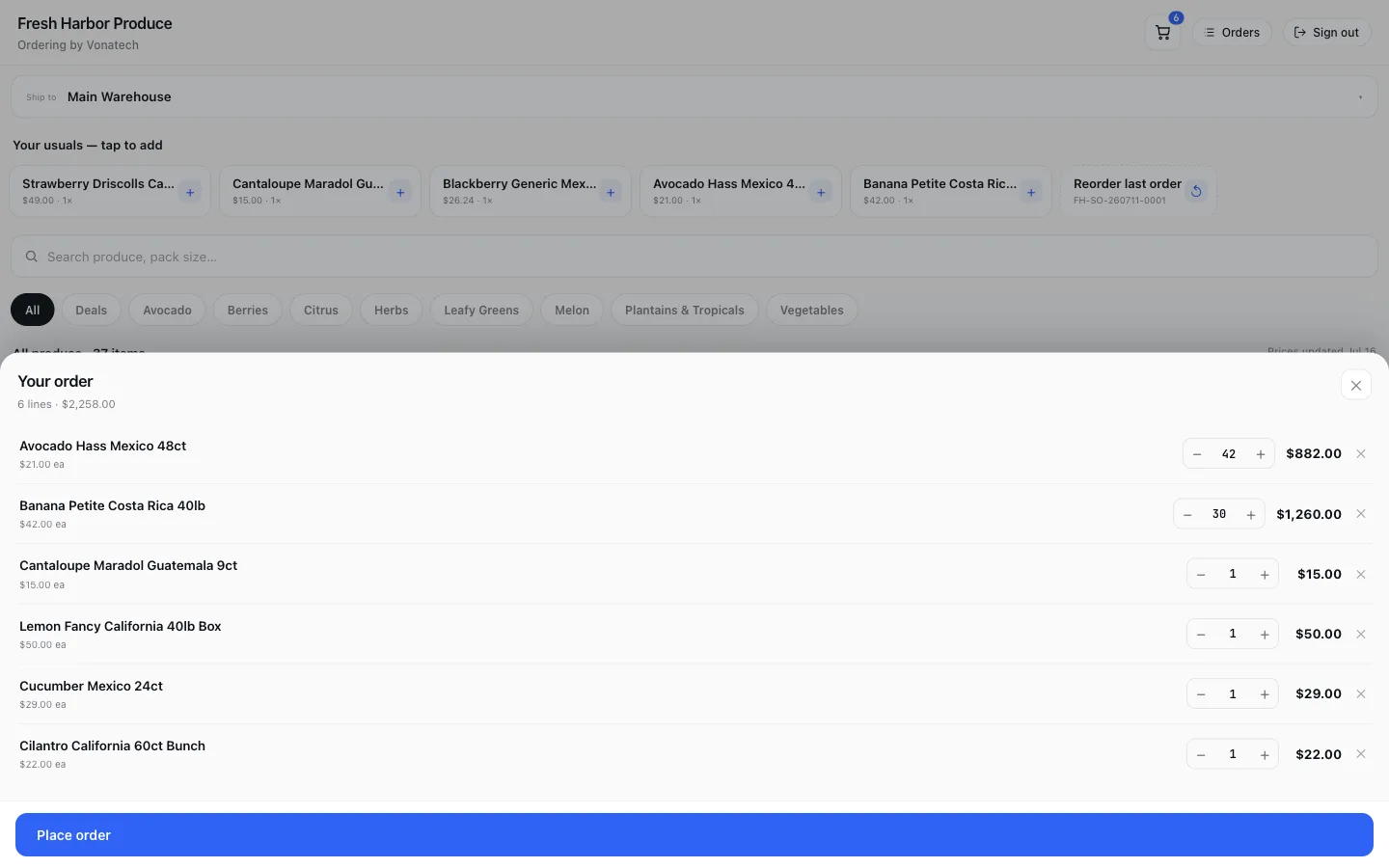
One sheet: every line with a quantity stepper and its total, a running subtotal, and one button. No multi-step wizard. A customer with many stores picks the ship-to on the storefront, so the order is born knowing where it's going.
Replaces: texted orders · order forms retyped at the desk
03 · Submit
A request, not a reservation.
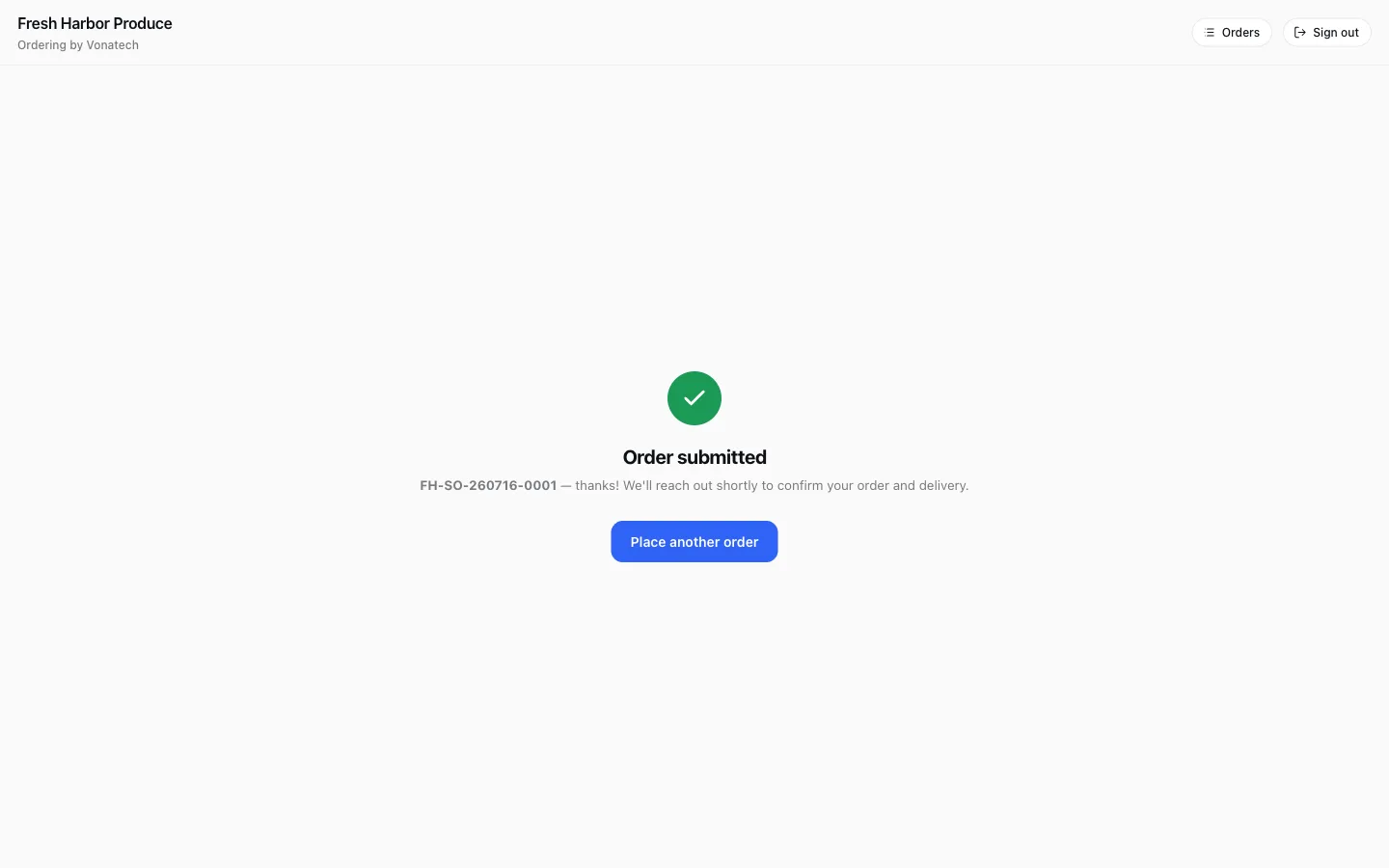
Placing the order shows a plain confirmation: a human will confirm. The order does not lock inventory or auto-ship. That's deliberate: you stay in control of price, credit, and availability on every order that comes through the door.
Replaces: self-serve portals that promise stock away
04 · Track
They stop calling to ask if it shipped.
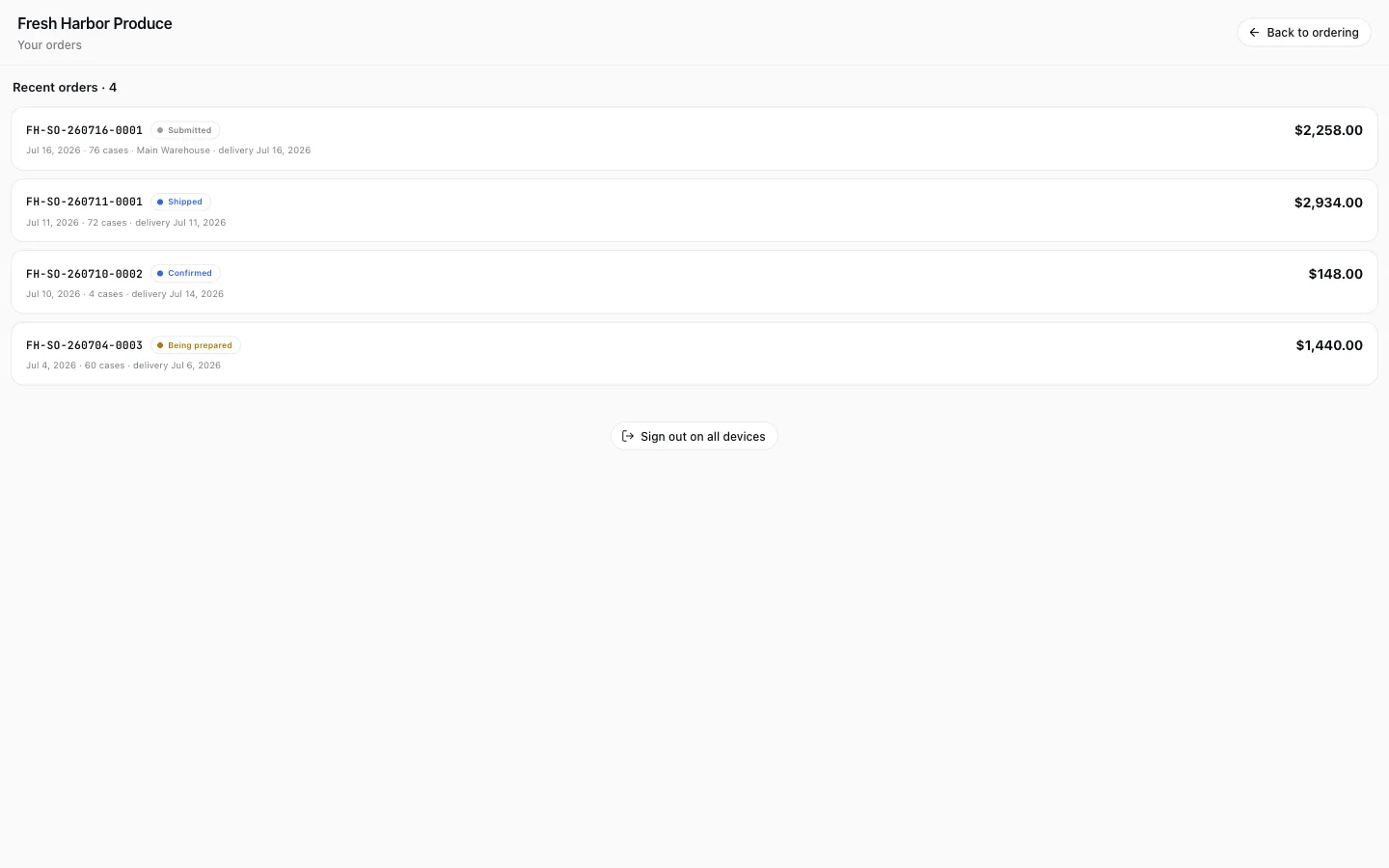
Buyers see their own order history with a live stage on every order: Submitted, Confirmed, Being prepared, Shipped, Delivered. The answer to "where's my order" is on their phone, not on your phone line.
Replaces: did-it-ship phone calls · status voicemails
05 · Your side
It lands in your queue, flagged for review.
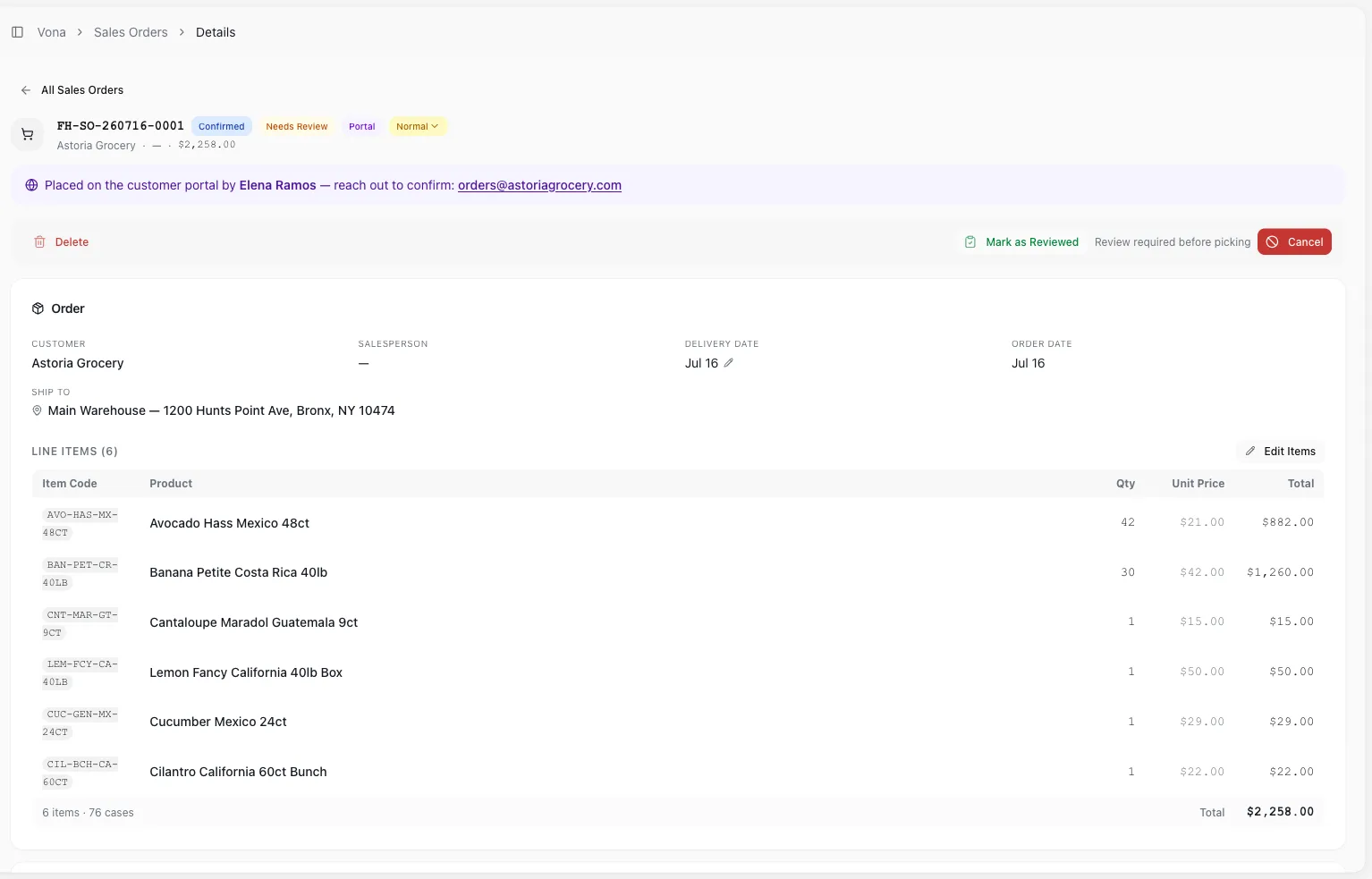
The portal is not a separate silo. The moment a customer submits, the order appears in your own Vona sales-order queue, flagged Portal and Needs Review, with the buyer's contact surfaced and a hard review gate before anything can pick or ship. Same lines, same total the customer placed: the customer-facing front door to the same connected system that runs picking, loading, and delivery.
Replaces: re-typing texted orders · a separate portal inbox
The old way, and the one system that ends it.
The old way
- Phone tag and voicemail orders after cutoff.
- Texted lists retyped into the system, typos included.
- A price sheet PDF that went stale on Tuesday.
- Did-it-ship calls answered by your busiest people.
With Vona
- Stores order themselves from your live catalog and prices.
- Orders land in your queue priced, no re-typing.
- A hard review gate before anything picks or ships.
- Buyers track their own orders, stage by stage.
Available now. Get your stores on it.
The portal is live and ready to turn on. We'll show it running, then talk about getting your stores ordering this way.