The platform
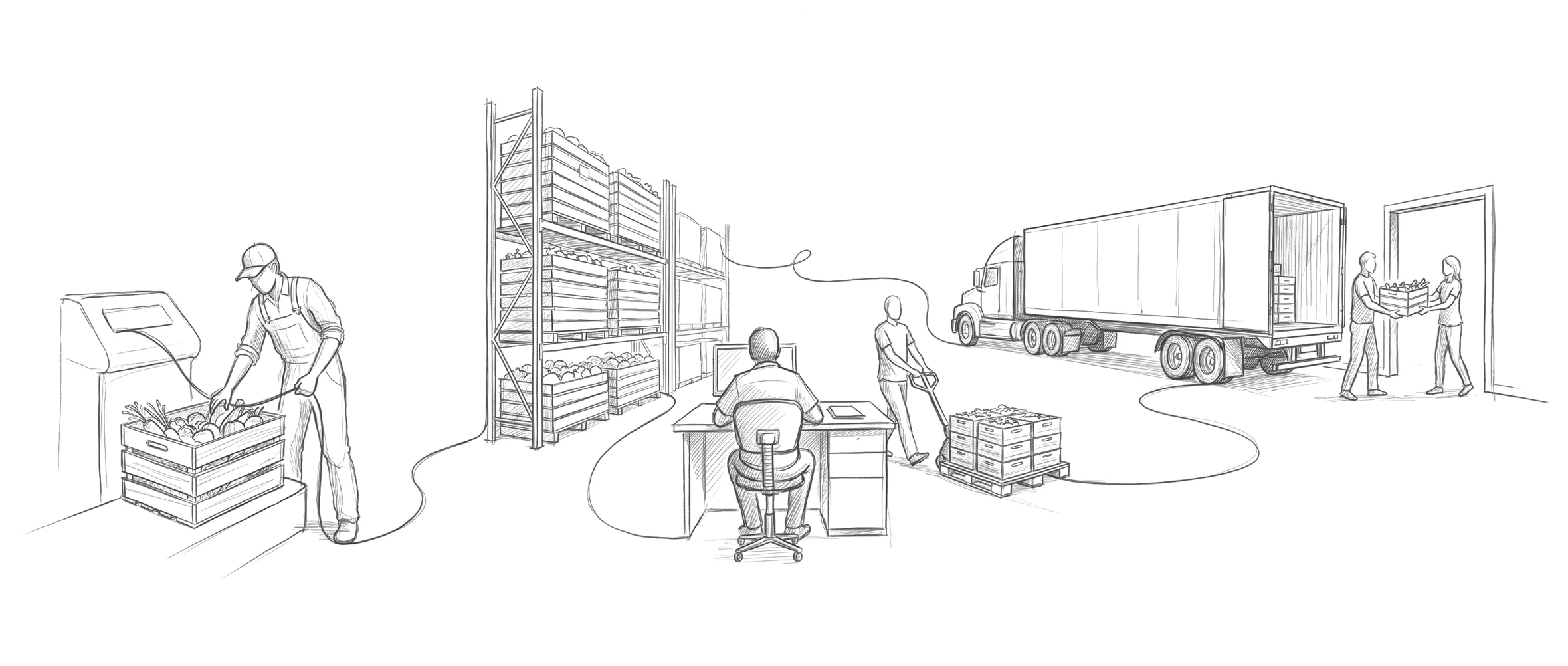
Seven parts of one platform, receiving to oversight.
Every order line shows its margin.
Vona matches the orders you type or paste in to your catalog and prices them. Every line shows its margin against the oldest lot's landed cost. A line priced below cost needs a typed reason before the order saves. Pricing stops being a guess made at 5 a.m. and becomes a decision made with the number in front of you.
Replaces: pricing from memory · month-end margin surprises
Scan-verified picking.
Pickers scan the pallet they take, and Vona checks it's the right product. Substitutions and shortages are flagged to the sales desk in a tap instead of discovered at the customer's door.
Replaces: printed pick sheets · mystery shrink
Arguments end with a timestamped photo.
The driver's phone runs the stop: every item accounted for, full, short or returned, with photos and an on-glass signature captured as proof. When a customer says it never arrived, you settle it with evidence, not a credit.
Replaces: he-said-she-said credits · lost paper PODs
Invoices leave with the truck.
Bill straight from the order the moment it delivers, record payments with proof attached, and watch receivables age in real time: what's outstanding, who pays slow, how long money takes to arrive. Your accountant gets clean, complete numbers instead of a shoebox.
Replaces: invoice batching nights · surprises in the aging report
More volume. Same office.
Nothing is re-keyed between the dock, the desk, and the books, so growth stops meaning another hire to shuffle paper. Proven by replacing our own 98,000-line first build in live production, without stopping the floor it ran.
Replaces: another back-office hire per growth spurt
Get to know Vona.
Seven parts, one connected platform.
- ReceivingNothing from a supplier is stock until it passes.Learn more
- Warehouse & InventoryEvery pallet in its place. Every case counted.Learn more
- Sales OrdersEvery order line shows its margin.Learn more
- ShippingThe truck leaves proven.Learn more
- DeliveryProof at every door.Learn more
- Billing & MoneyEvery dollar accounted for.Learn more
- Oversight & RecordsWho did what.Learn more


Switch to Vona.
You don't switch. You transition.
Run Vona alongside whatever runs your operation today. Start with one flow, let the floor prove it against the old way, and move at your pace. No scary weekend cutover.
Vona does that.
The spreadsheet, the whiteboard, the pick tickets, the margin report. If it runs your operation today, watch it run in Vona, in one connected system.
The full catalog.
54 capabilities, live in production today, in plain language. If it isn't listed here, we don't claim it.
Receiving
11 capabilities- Purchase orders
Create and track supplier orders from draft through received, with every status change logged.
- Supplier directory
Vendors, references, and purchase history kept in one place.
- Receiving QR codes
Every purchase order prints a QR code; scanning it links the arriving truck to the right order.
- Truck check-in & yard
Check trucks in, assign dock doors, and see your docks' trucks on one live board; double-booking a dock is blocked automatically.
- Appointment calendar
Inbound deliveries scheduled, rescheduled, flagged, and documented in one calendar.
- Receiving & QC inspection
Every product on the truck is inspected at the dock, with photos when you take them, before it can become stock.
- QC-gated inventory
Nothing from a supplier becomes sellable stock until a supervisor signs off its inspection.
- SQF truck inspections
Each inbound truck can get an SQF inspection at the dock, with the inspector, the time, the photos and a downloadable report.
- Back-dock fast lane
Trucks that skip the yard check in at the dock with driver and safety details and a one-tap confirm.
- Short-ship tracking
Lines that never arrived are flagged as not received, so counts and QC stay honest.
- Post-QC corrections
Received quantities can be corrected after sign-off with a visible “was X” trail.
Warehouse & Inventory
9 capabilities- Lot-based inventory
Approved lots land with cost and origin, and an expiration date where one is given.
- Guided stocking
Warehouse staff stock from a phone at the rack: pallets, layers, zone, and printed pallet labels.
- FIFO pick queue
Picks are recommended oldest-first by expiration, so product rotates the way it should.
- Scan-verified picking
Pickers scan the pallet they take, and Vona checks it's the right product.
- Substitution flags
When a picker has to substitute, it's flagged to the office instead of silently swapped.
- Multi-lot order lines
One order line can pull from several lots and stays traceable per lot.
- Barcode & GTIN labels
GS1-128 case labels and GTIN support for PTI-style traceability.
- Inventory adjustments
On-hand quantities corrected with a reason, and the change lands in the audit trail.
- Margin-aware lots
Every line shows its margin against the oldest lot's landed cost.
Sales Orders
8 capabilities- Order entry
Vona matches the orders you type or paste in to your catalog and prices them.
- Build-an-order mode
Take an order live in three steps (items, prices, lots) while the buyer is still on the phone.
- Live margin guard
A line priced below cost needs a typed reason before the order saves.
- Order lifecycle tracking
Orders move draft → confirmed → picking → picked → loading → shipped → delivered.
- Review & release
Confirmed orders are reviewed and released to the pick queue, so nothing ships unchecked.
- Multi-store customers
One customer, many ship-to stores; each order carries the right store automatically.
- Forgiving catalog search
Type-ahead product search that tolerates typos and partial names.
- Returns to resale
Returns come back as their own labeled lot, ready to price and resell once they're inspected.
Shipping
3 capabilities- Load planning
Build outbound loads and assign a company driver; the truck and carrier details ride on all the paperwork.
- Pick tickets
Printed singly or in bulk, straight from the queue.
- BOL revision tracking
If orders change after a bill of lading prints, the change is flagged, so sent paper never silently drifts.
Delivery
5 capabilities- Driver delivery view
Drivers see today's load, every stop, and every item on their phone. No printed manifest.
- Proof of delivery
Each item marked delivered, short or returned, with delivery photos and an on-glass signature captured at the door.
- Returns at the door
Rejected product is recorded at the stop and rides back into the returns flow.
- Live delivery monitor
The office watches stop-by-stop progress while drivers work the route.
- Signed-paperwork archive
Proof-of-delivery documents, photos, and signatures stored with each delivery and retrievable later.
Billing & Money
9 capabilities- Automatic invoicing
Invoices generate from shipped orders with sequential numbering, ready to print or hand off.
- Passing documents
A price-hidden version of any invoice, for receivers who shouldn't see pricing.
- Customer payments
Checks, wires, and cash recorded against invoices, with proof attached.
- Credit notes
Credits issued and applied across invoices; every application tracked and reversible.
- Receivables at a glance
Outstanding, overdue, and collection-rate numbers straight from the invoice ledger.
- Supplier payment tracking
What you've paid each supplier against every purchase order (amount, method, date, proof), with paid, partial, or unpaid always current.
- Outstanding by supplier
One view of what's still owed, per supplier, across all open purchase orders.
- Payment statements
Pick a date range and download an Excel-ready statement of supplier payments, voids included.
- Money-desk role
A dedicated accounting role that handles payments and credits.
Oversight & Records
9 capabilities- Audit trail explorer
Type any document number and walk its history.
- Activity timelines
Purchase orders, sales orders, and invoices each keep a human-readable history: who did it, when, and what changed.
- Roles & permissions
Seven built-in roles with per-user permission grants, managed by the owner from the team page.
- Module access control
Owners decide which modules each role can open, from a single matrix.
- Per-company database
Each company's data lives in its own database.
- Tunable workflow settings
Dozens of workflow values each company adjusts to its own operation, without code changes.
- Plan-based capabilities
Features switch on per plan, so a company can start small and grow into the platform.
- Daily ops briefing
Vona delivers a scheduled summary of the operation to the team's chat channel.
- Operations dashboard
The day's inbound and outbound at a glance, split by shift.
The full walkthrough is best live.
We'll run Vona in front of you: your modules, your questions, real screens.